
这篇记录我最常用、且相对不容易踩坑的 Git 命令。覆盖场景包括:
- 不同仓库使用不同身份
- SSH + 代理访问 GitHub
- 凭证管理
- 改写历史提交
- 清理敏感文件历史
- 忽略已追踪文件
按远程地址自动切换 Git 身份
适合一个人维护多个身份(例如个人账号 + 公司账号)。
git config --global 'includeIf.hasconfig:remote.*.url:*://*github.com*/**.path' ~/.gitconfig_github
git config --global 'includeIf.hasconfig:remote.*.url:git@github.com:*/**.path' ~/.gitconfig_github
创建 ~/.gitconfig_github:
[user]
    name = arloor
    email = admin@arloor.com
如果你开启了全局 Git 代理,但希望某些内网仓库不走代理,可以在对应配置中显式清空:
[http]
    proxy =
[https]
    proxy =
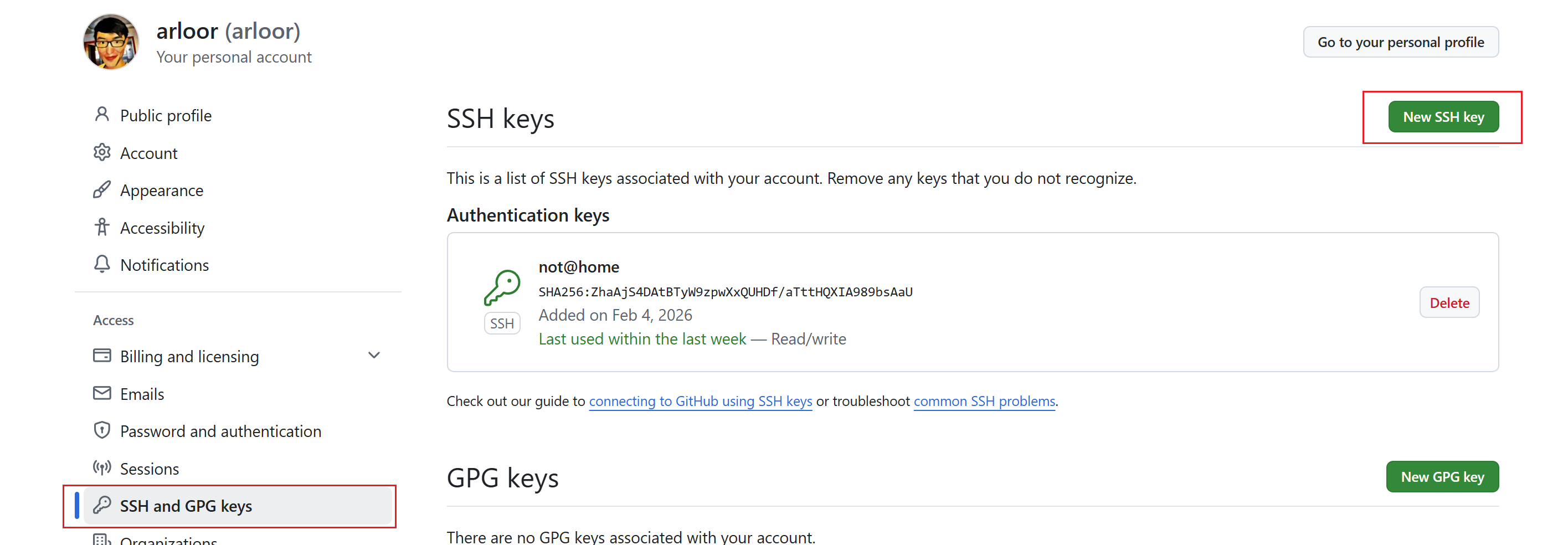
使用 SSH 密钥访问 GitHub
先确认公钥已经添加到 GitHub:
Linux / macOS(通过 HTTP 代理转发 SSH)
read -r -p "Proxy port [7890]: " proxyport
proxyport="${proxyport:-7890}"

# Ubuntu / Debian
sudo apt install -y socat

# 将 https 地址自动替换为 ssh 地址
git config --global url.git@github.com:.insteadOf https://github.com/

mkdir -p ~/.ssh
grep -qF 'Host github.com' ~/.ssh/config || cat >> ~/.ssh/config <<EOF
Host github.com
    HostName github.com
    ProxyCommand socat - PROXY:localhost:%h:%p,proxyport=${proxyport}
    User git
EOF

ssh -T git@github.com
Windows(Git for Windows)
$proxyport = Read-Host "Proxy port [7890]"
if ([string]::IsNullOrWhiteSpace($proxyport)) { $proxyport = "7890" }
git config --global url.git@github.com:.insteadOf https://github.com/

$sshConfigPath = "$env:USERPROFILE\.ssh\config"
if (!(Test-Path $sshConfigPath)) {
  New-Item -ItemType File -Path $sshConfigPath -Force | Out-Null
}

$configContent = Get-Content $sshConfigPath -Raw -ErrorAction SilentlyContinue
if ($configContent -notmatch 'Host github\.com') {
  Add-Content -Path $sshConfigPath -Value @"

Host github.com
    HostName github.com
    ProxyCommand "C:\\Program Files\\Git\\mingw64\\bin\\connect.exe" -H localhost:$proxyport %h %p
    User git
"@
}

ssh -T git@github.com
凭证保存方式(按安全性排序)
推荐:系统凭证管理器
- macOS:
osxkeychain - Windows:
manager-core(通常已默认启用)
git config --global credential.helper osxkeychain
# 或
git config --global credential.helper manager-core
可用但不推荐:明文保存
store 会把凭证明文写入 ~/.git-credentials,只建议在临时环境使用。
git config --global credential.helper store
如果 GitHub 开启了 2FA,密码位置应填写 Personal Access Token(PAT),而不是登录密码。
不建议:把 Token 写进 URL 重写规则
git config --global url.https://<user>:<token>@github.com/.insteadOf https://github.com/
风险是 token 会进入配置文件,且容易在 remote URL、日志或截图中泄露。
修改历史提交的作者信息
假设历史是 A-B-C-D-E-F(F 为 HEAD),你要修改 C 和 D:
- 从
B后开始交互式 rebase:git rebase -i B - 把
C、D两行从pick改成edit - 每次停下时执行:
git commit --amend --author="arloor <admin@arloor.com>" --no-edit
git rebase --continue
- 全部完成后,若远程已存在旧历史,需要强推:
git push --force-with-lease
--force-with-lease 比 -f 更安全,能避免覆盖他人的新提交。
如果你需要修改 A ,可以运行 git rebase -i --root
统计某作者在仓库中的代码增删行
cat > /usr/local/bin/ncode <<'EOF'
#!/usr/bin/env bash
set -euo pipefail

author_pattern="${1:-arloor|刘港欢|liuganghuan}"
echo "${author_pattern}'s work summary @ $(date)"

git log --author="${author_pattern}" --pretty=tformat: --numstat | awk '
  $1 != "-" && $2 != "-" {
    add += $1
    del += $2
  }
  END {
    printf "added: %s, removed: %s, net: %s\n", add, del, add - del
  }
'
EOF

chmod +x /usr/local/bin/ncode
ncode 'arloor|liuganghuan'
删除某文件/目录的全部历史(敏感信息清理)
优先使用 git filter-repo(官方推荐,速度快、结果更稳定):
# 目录
git filter-repo --path path/folder --invert-paths

# 单文件
git filter-repo --path path/file --invert-paths
随后强制更新远程:
git push --force --all
git push --force --tags
如果你还在用旧命令:git filter-branch 已不推荐,除非兼容性要求必须使用。
查看最后一次提交的完整 diff
git -P log -1 -p --color
临时忽略本地变更(不再提交)
git update-index --assume-unchanged path/to/file
git ls-files -v | grep '^[a-z]'   # 小写开头通常表示被标记

# 恢复
git update-index --no-assume-unchanged path/to/file
适合本地私有配置文件。若是团队共享规则,优先用 .gitignore。
已被追踪的文件,如何改为忽略
在 .gitignore 增加规则,例如:
logs/
data/*.csv
然后从索引中移除(保留本地文件):
git rm -r --cached logs/
git rm -r --cached data/*.csv
git commit -m "chore: stop tracking ignored files"
如果规则很多,也可以一次性清理索引再重新加入:
git rm -r --cached .
git add .
git commit -m "chore: re-index with updated .gitignore"